
Know exactly where you rank on Noon. Every day, automatically.
Group your keywords and Noon products into a project, and Dunescout takes it from there, checking your rankings so you don't have to.
What is a Project
A Project is a workspace inside Dunescout where you bring together two things: the keywords shoppers use to search for your products on Noon, and the products themselves. Once both are in place, Dunescout checks Noon every day and shows you exactly where each product ranks for each keyword.
Think of it as a folder. A seller who sells candles creates a project called Candles, adds the keywords buyers use to find candles, and adds their candle listings. Everything related to that product line lives in one place.
Two ways to see your data
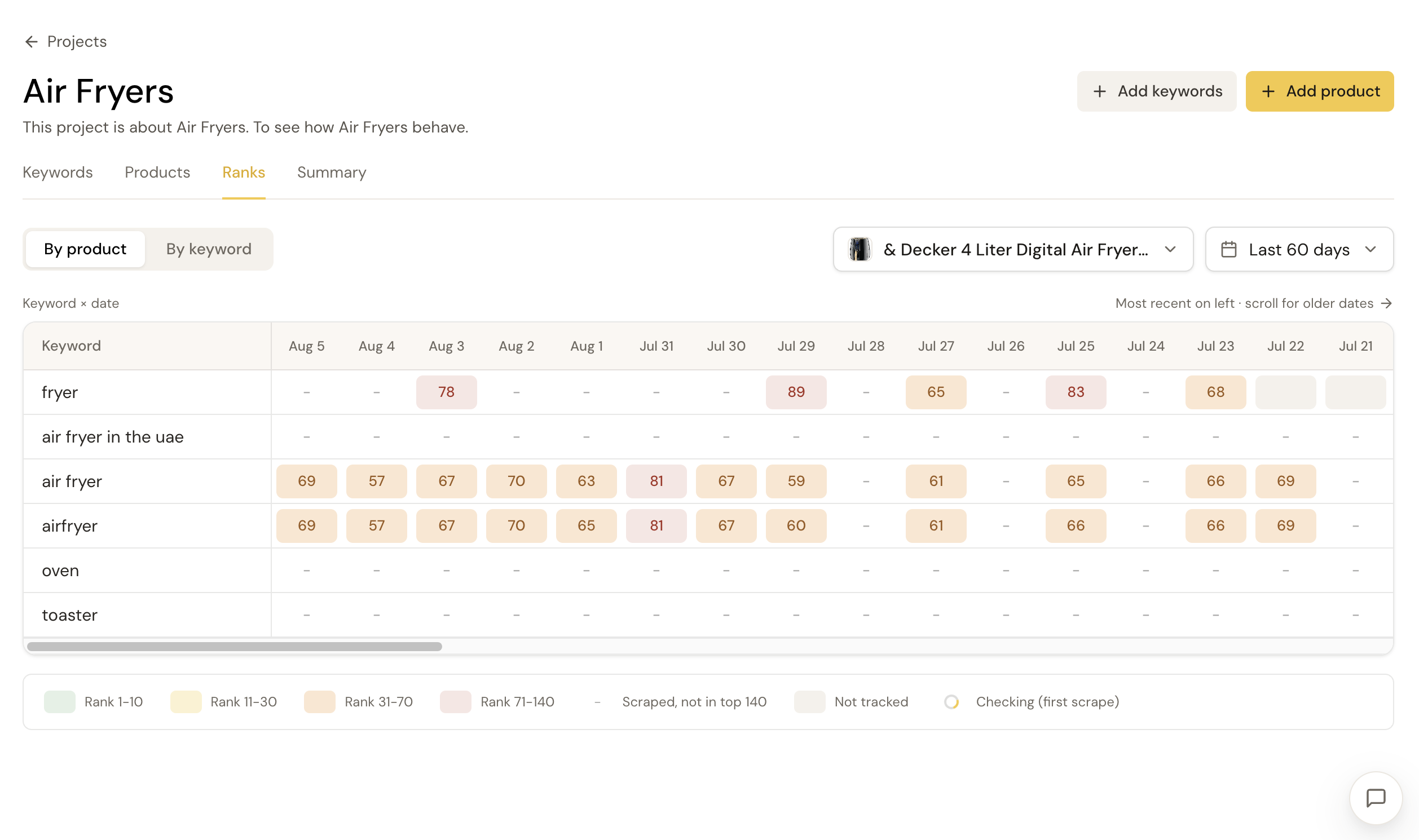
By Product View
Pick one product and see how it ranks against every keyword in your project, day by day. Watch a listing climb, hold steady, or slip over time.
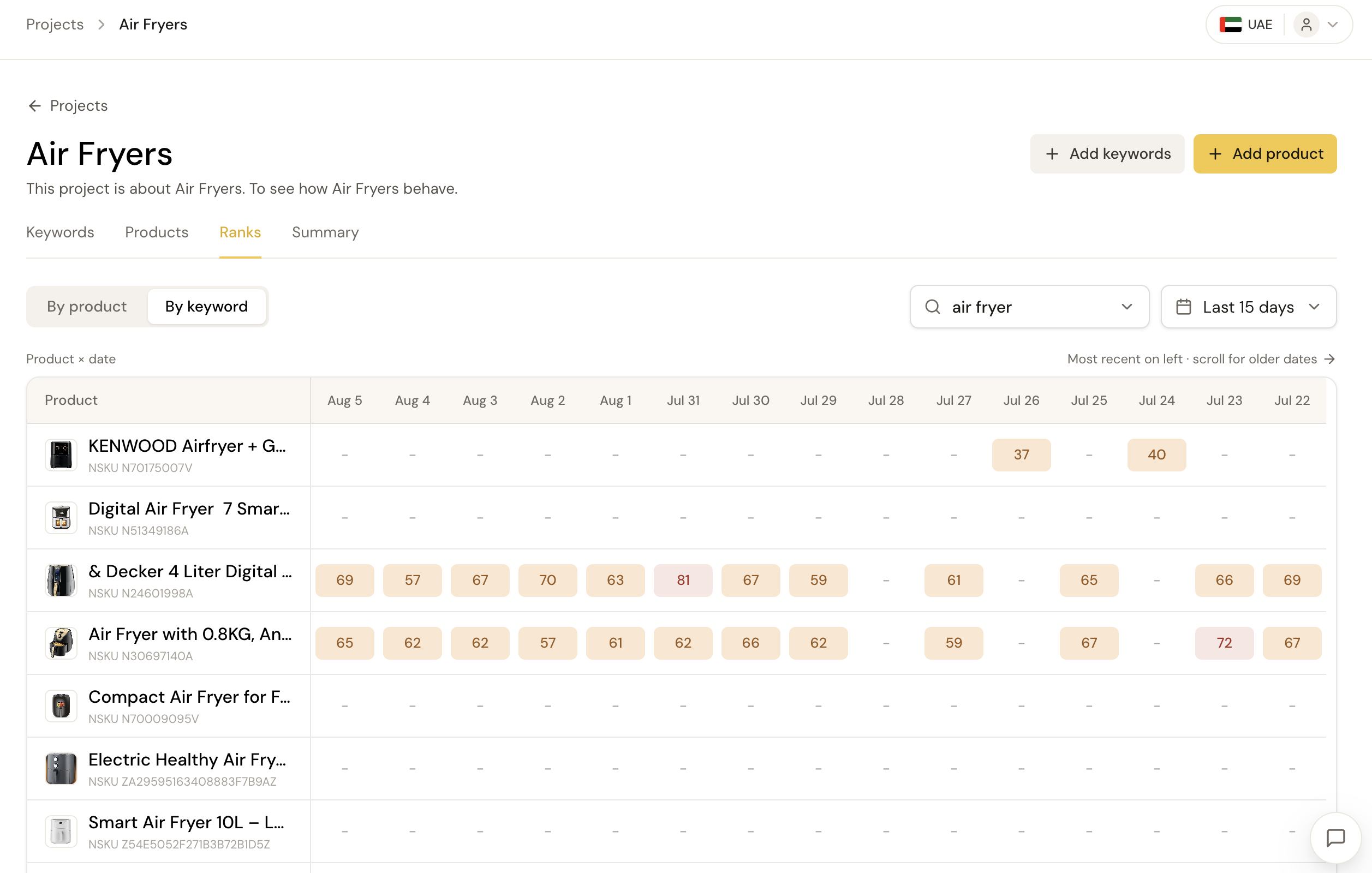
By Keyword View
Pick one keyword and see how every tracked product ranks against it, day by day. Compare products head to head on a single search term.
Switch between the two anytime. Nothing resets when you do.
Set up your first project.
Create your project
Name it after a product line or category.
Add your keywords
Up to 50 per project, duplicates merged automatically.
Add your products
Paste a Noon URL or NSKU, up to 25 per project.
Check back tomorrow
Dunescout scans Noon daily, so new pairs get their first real rank the next morning.
Spot what's working, and what's not.
Every rank gets a color, so you can scan a table of dozens of keywords or products and instantly see what needs attention, without reading every number.
Ranks 1–10
First page, prime visibility
Ranks 11–30
Visible, but room to improve
Ranks 31–70
Buried, few shoppers scroll this far
Ranks 71–140
Very unlikely to be seen
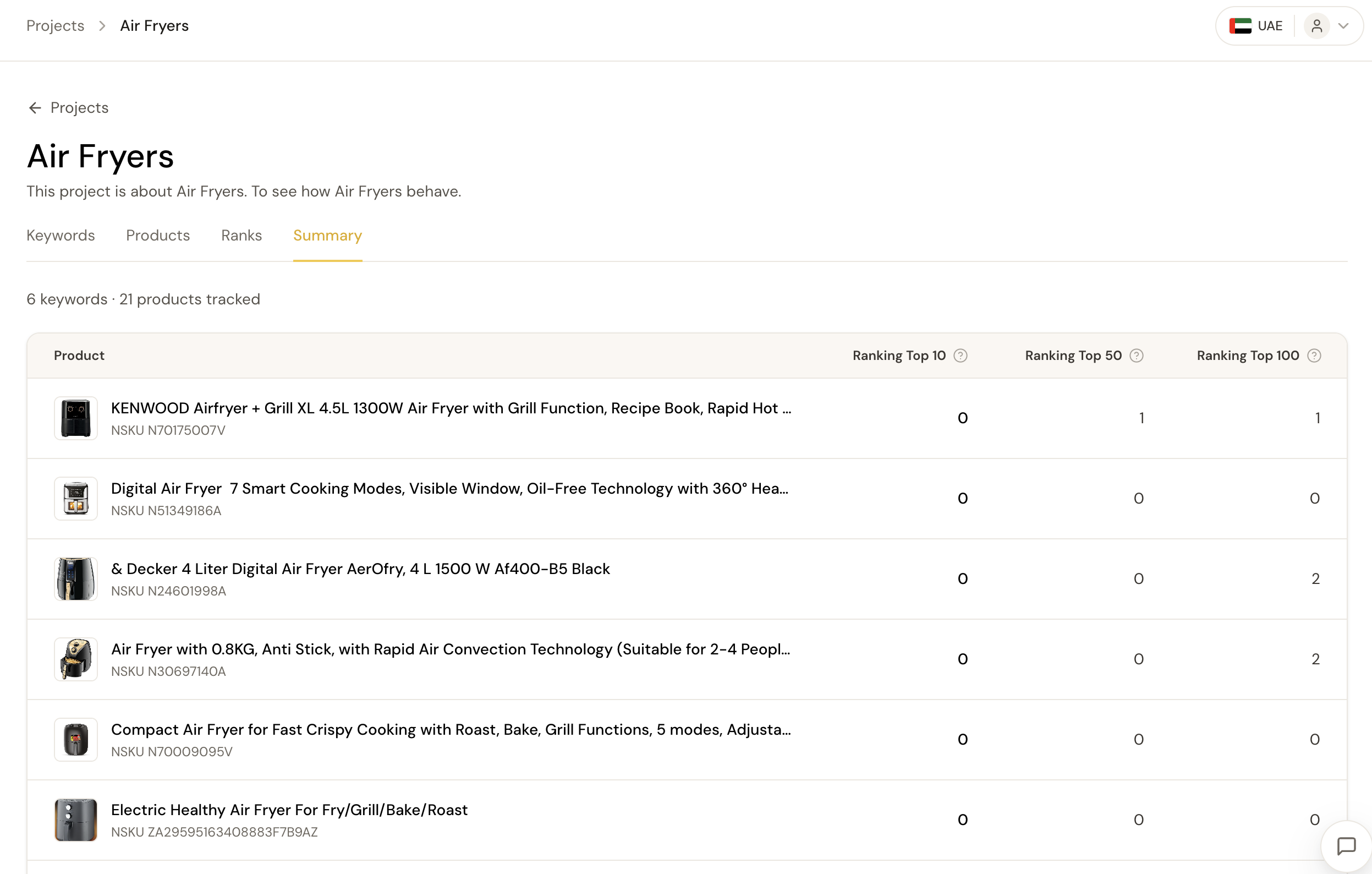
Zoom out: your whole catalog's health.
See how many keywords each product ranks in the top 10, top 50, and top 100 for, all in one table, no digging required. A fast way to tell which listings are winning and which need work.
Frequently asked questions
What is a Project in Dunescout?
A Project is a workspace where you organize your keywords and Noon products together. Once you've added both, Dunescout tracks your rankings automatically every day, showing exactly where each product ranks for each keyword.
How many keywords and products can I add to one project?
Each project supports up to 50 keywords and up to 25 products. Duplicate keywords are merged automatically, so you can add freely without worrying about overlap.
How long until I see my first rankings after adding a product?
Dunescout scans Noon daily, so new product-keyword pairs get their first ranking scan the morning after you add them. You'll see results by the next day.
Can I track more than one product line separately?
Yes. Create a separate project for each product line or category. A seller with candles and dresses, for example, would create a Candles project and a Dresses project.